

UI Options
Each component needs to specify how its user interface (UI) will look. Otherwise the component cannot be configured via the UI (it can still be configured using the API though).
The most basic UI configuration is genericDockerUI. The generic UI will always show a text field for entering the
component configuration in JSON format. Other parts of the UI are turned on using other UI options
(for example, genericDockerUI-tableInput, genericDockerUI-tableOutput). All of the UI options may be combined freely.
genericDockerUI
Section titled “genericDockerUI”This provides a basic text area for setting component parameters as a JSON; the text area has JSON validation and syntax highlighting.
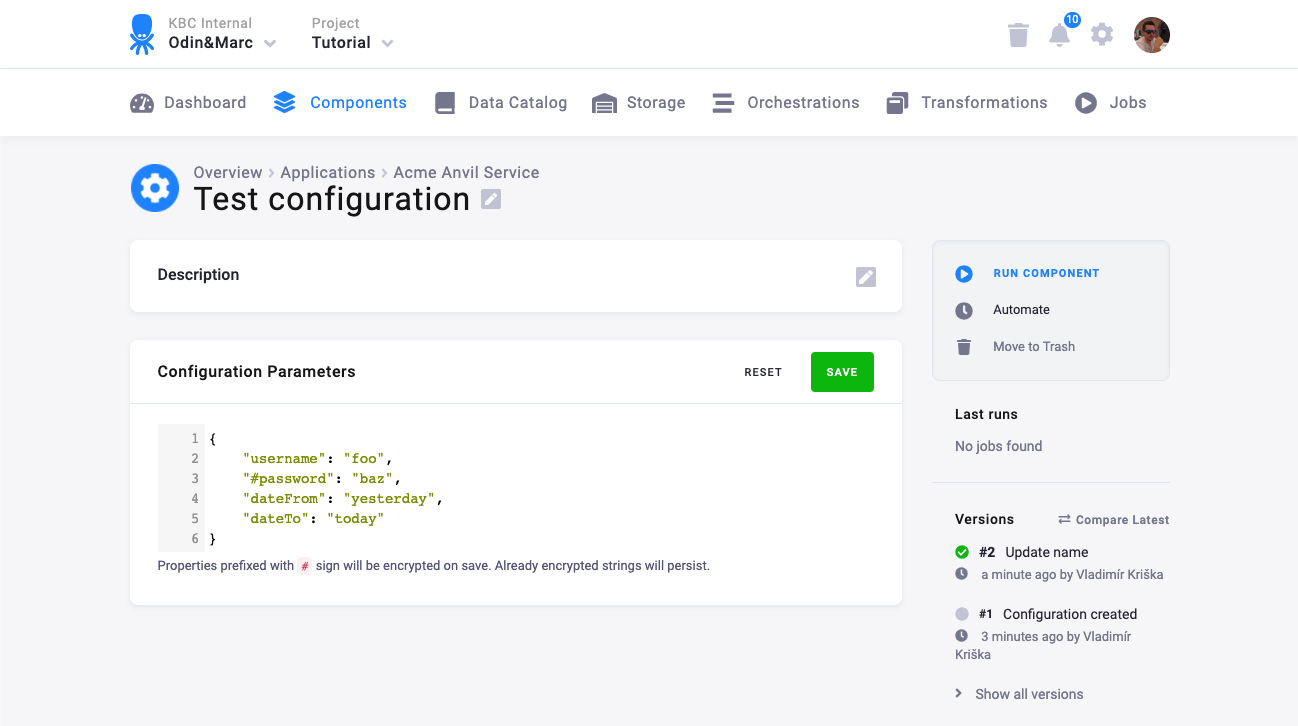
The configuration provided in this input is available in the parameters section of the
configuration file.
Defining a configuration schema will replace the JSON text area with a form.
genericDockerUI-tableInput
Section titled “genericDockerUI-tableInput”This flag provides a UI for setting the table input mapping. You can set the following options:
- Source --- the name of the table in Storage
- Destination file name --- the name of the .csv file passed to the component
- Columns --- select only some columns of the source table
- Days --- load only rows modified in the specified number of days; useful for incremental loads; set to 0 to load all data
- Data filter --- a simple filter for selecting specified rows only
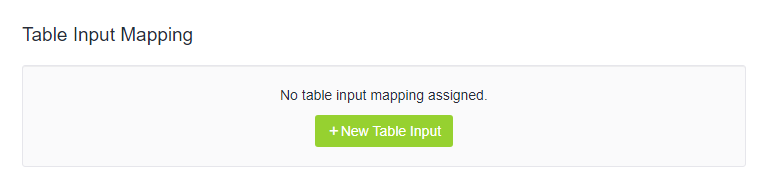
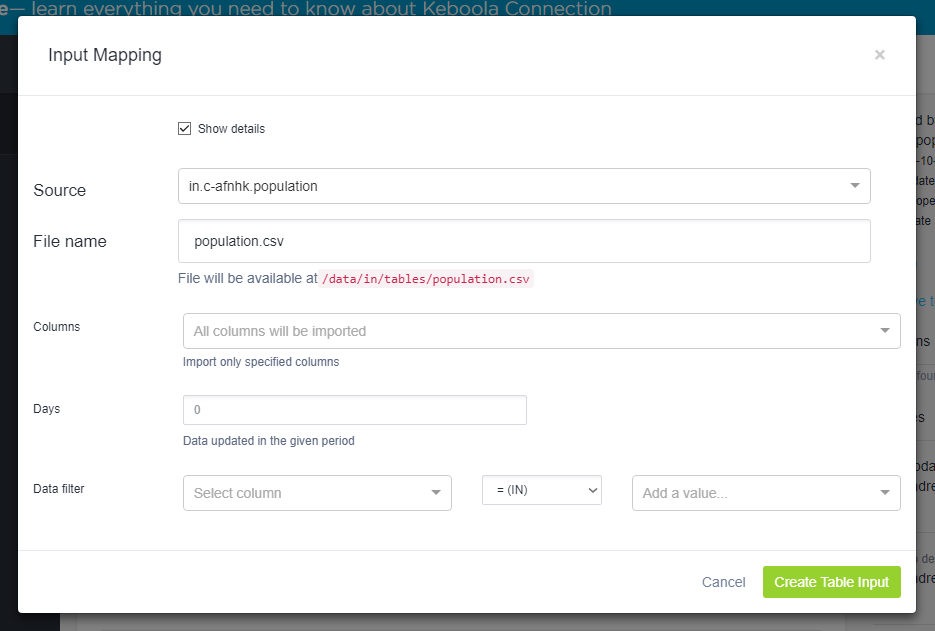
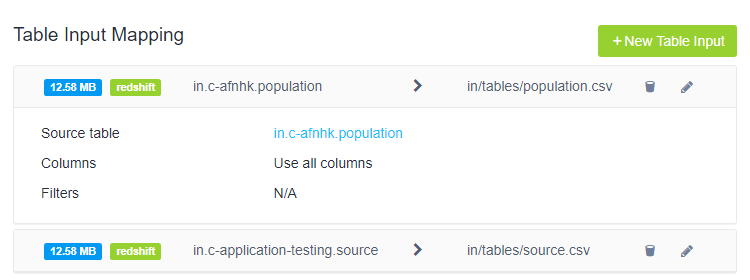
The configuration provided in this input is available in the storage.input section of the
configuration file.
genericDockerUI-tableOutput
Section titled “genericDockerUI-tableOutput”This flag provides a UI for setting the table output mapping. This UI part should not be used if the component is using the default bucket setting.
With this UI, you can set the following options:
- Source --- the name of the .csv file retrieved from the component
- Destination --- the name of the table in Storage, the destination bucket should exist already
- Incremental --- if checked, the loaded data will be appended to the contents of the destination table
- Primary key --- set the primary key for your destination table --- multiple columns are allowed
- Delete rows --- delete some rows from the destination table using a simple filter
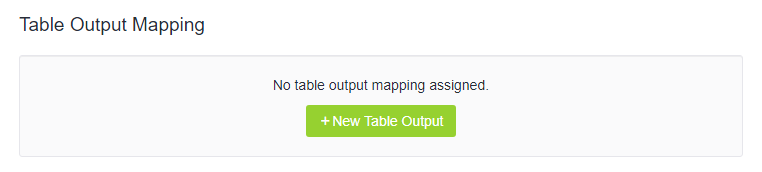
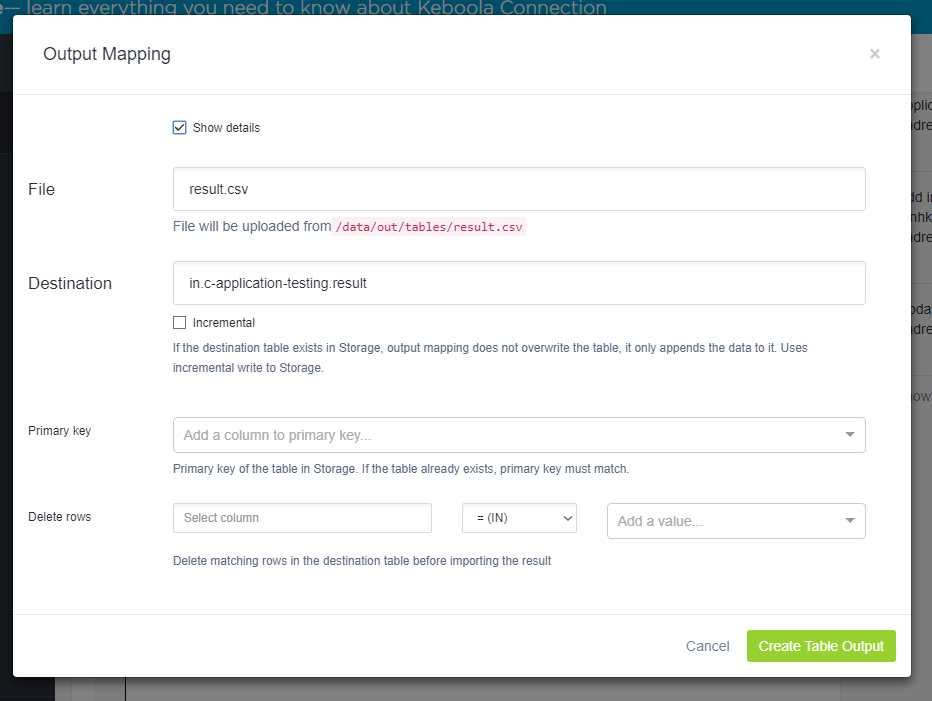
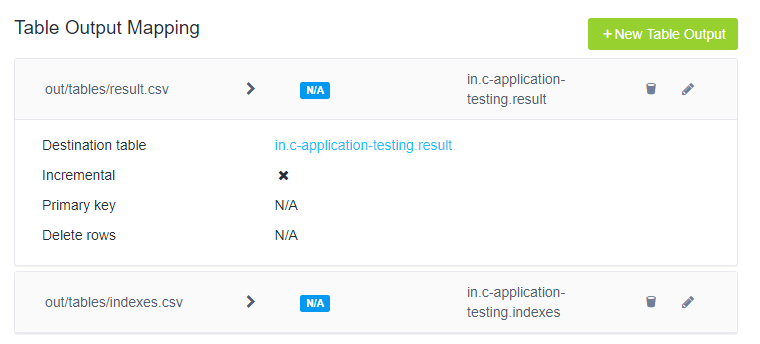
The configuration provided in this input is available in the storage.output section of the
configuration file.
genericDockerUI-processors
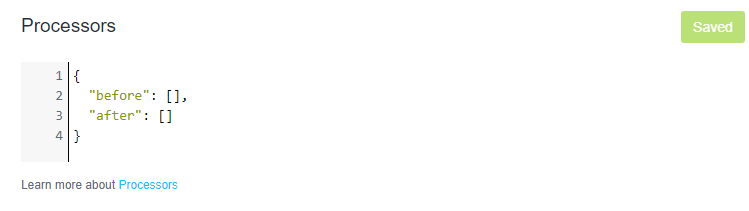
Section titled “genericDockerUI-processors”This flag provides a UI for the processor configuration. It offers a basic text area for setting the processors and their parameters as a JSON; the text area has JSON validation and syntax highlighting.
genericDockerUI-fileInput
Section titled “genericDockerUI-fileInput”This flag provides a UI for setting the file input mapping. You can set the following options:
- File tags --- select files by the file tags listed in File Uploads
- Query --- ElasticSearch query to select files from File Uploads
- Processed tags --- used for incremental processing
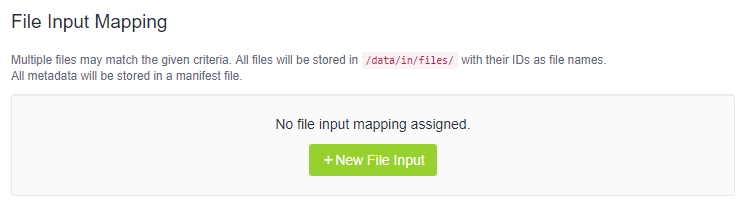
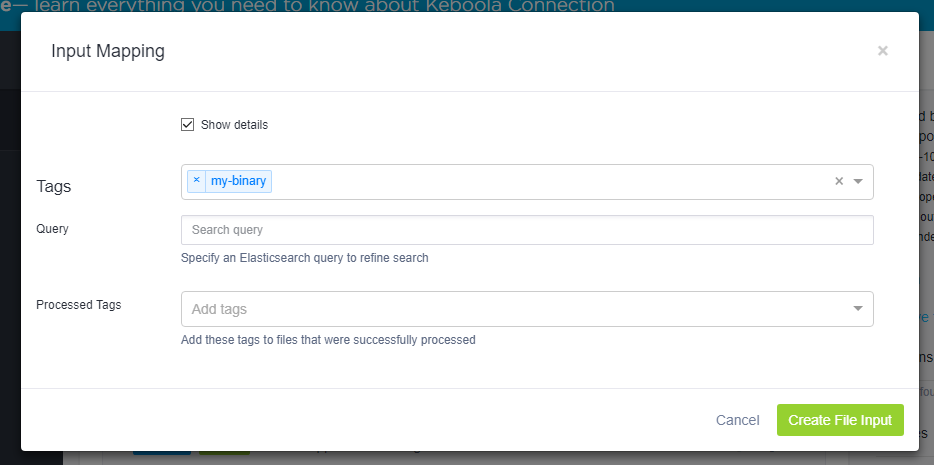
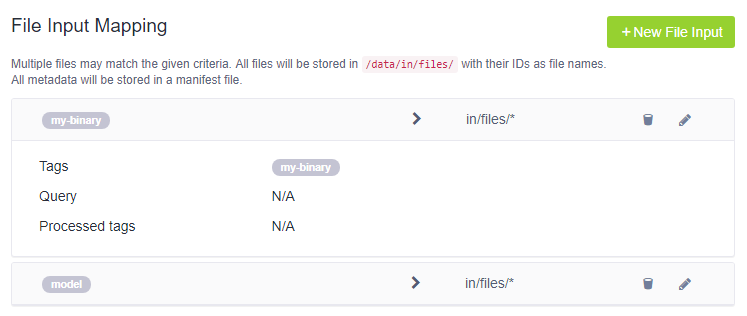
The configuration provided in this input is available in the storage.input section of the
configuration file.
genericDockerUI-fileOutput
Section titled “genericDockerUI-fileOutput”This flag provides a UI for setting the file output mapping. You can set the following options:
- Source --- the name of the file produced by the component
- File tags --- the file tags assigned to the produced file
- Is public --- the file is accessible to anyone knowing its URL
- Is permanent --- the file will not be deleted after 15 days
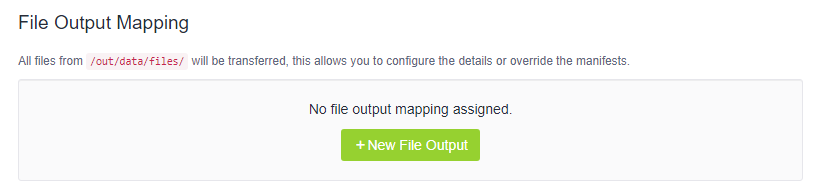
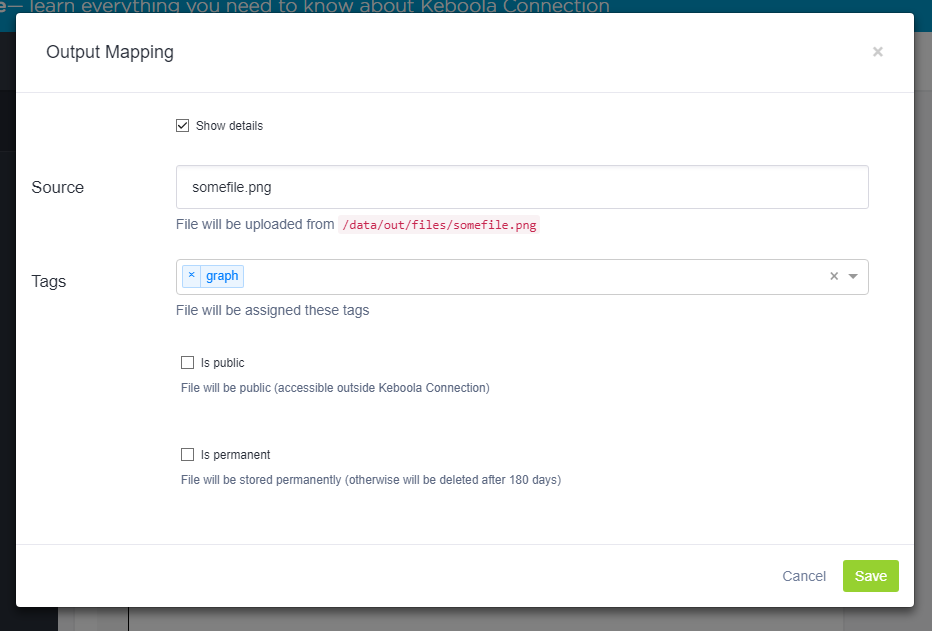
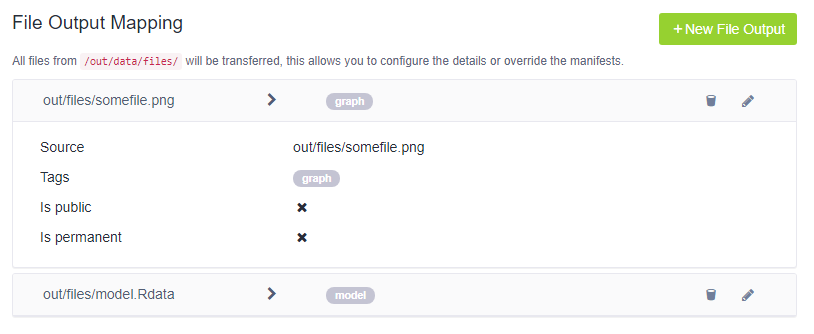
The configuration provided in this input is available in the storage.output section of the
configuration file.
genericDockerUI-authorization
Section titled “genericDockerUI-authorization”This flag provides a UI for setting OAuth2 Authorization. However, to actually activate OAuth for your component, you have to contact our support.

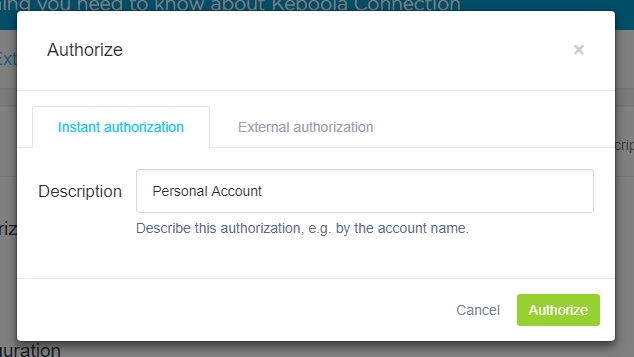
The configuration provided in this input is available in the authorization section of the
configuration file.
genericTemplatesUI
Section titled “genericTemplatesUI”This flag is used to provide a UI for components based on the Generic Extractor. It allows the end user to select a Generic Extractor template.